


Old Wang, who makes laptops, made a mistake in screen selection last year.
He chose a B-sized screen for a new laptop, hoping to save some costs. As a result, when the user bought it and turned it on, there was a dark dot in the middle of the screen. The return rate suddenly skyrocketed to 15%.
During that period, when customers were urging and after-sales service was following up, Old Wang's head grew bigger.
Later, Lao Wang told us, 'I used to think that saving a little bit was a little bit, and it didn't matter if the level was lower. Later, I realized that...',Screen selection is not about choosing cheap options, it's about choosing the right one. ”
That's absolutely right.
We have been making LCD display modules for so many years and have seen too many customers take detours in screen selection.
Some blindly chase after high prices, using A-screens on advertising machines, doubling the cost, and customers simply don't appreciate it.
Some people are greedy for cheap prices and install B-sized screens on laptops, causing users to see dark spots as soon as they turn on the device, resulting in a skyrocketing return rate.
Where is the problem?I haven't figured out something yet.Different products have completely different requirements for screens.
Today's article,Let's focus on four scenarios: advertising machines, laptops, displays, and terminal devices,I will explain to you one by one how to select a screen.
There is also a comparison table afterwards, you can save it directly and take it out for your next purchase.
Before discussing how to choose, let's first clarify the differences between A, B, and C.
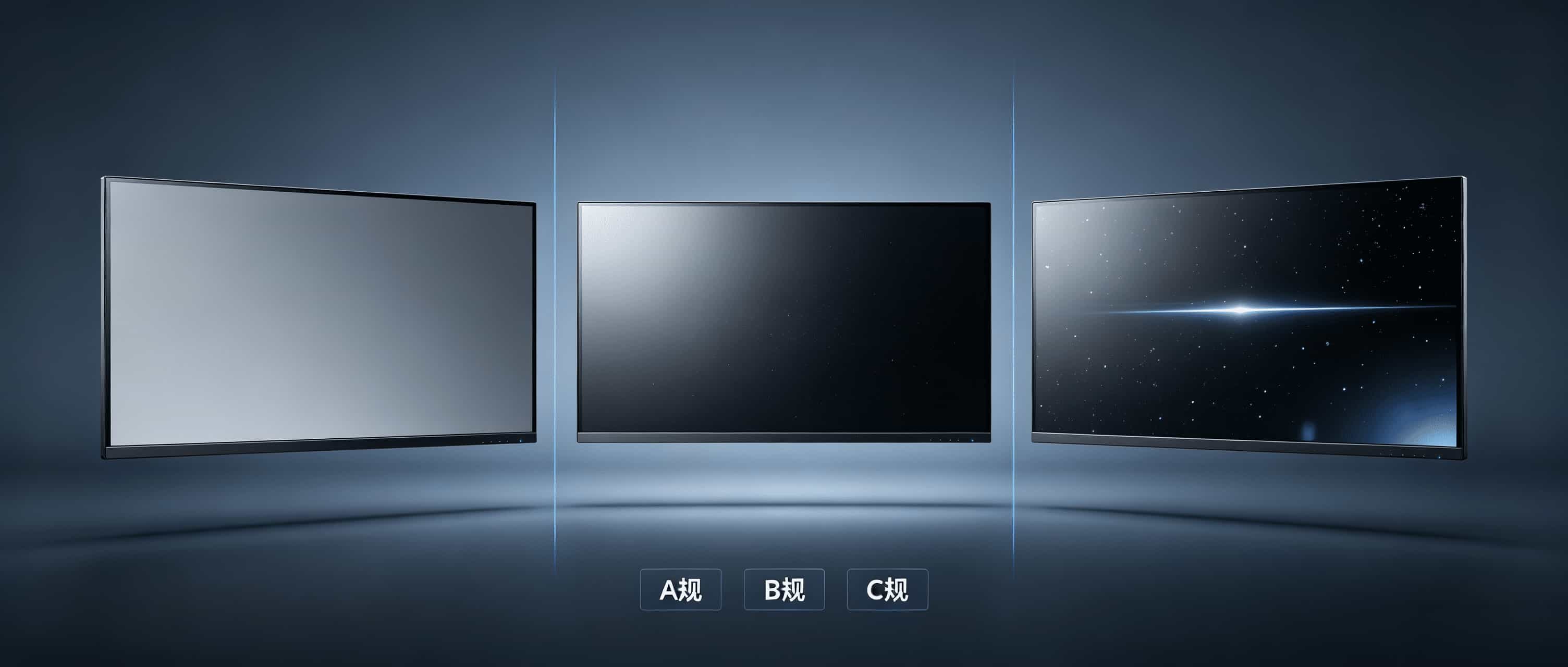
A standard screen, the total number of bad pixels generally does not exceed 5. Bad pixels are not allowed in the central area.No obvious line defects. Mura and slight light leakage. Simply put, it is the one with good quality, suitable for products with high display requirements.
Rules A and A, these are the small steps inside Rules A.A regulation requires no bright spots and less than 3 dark spots. A regulation has no bad points and is mainly used in places with extremely high requirements such as medical and military industries.
B standard screen, allowing 5 to 10 bad pixels or mild light leakage Mura。The display effect is slightly worse than A standard, but the price is much cheaper. Under common market conditions, the price of a B-sized screen is about 60-70% of that of an A-sized screen, depending on the manufacturer and size.
C-standard screen, with more than 10 bad pixels, may have bright lines, dark lines, and obvious Mura.Basically only suitable for non critical display scenarios, such as test screens, splicing screens, and low-end advertising machines.
Remember one sentence: A rule does not mean everything is fine, and B rule is not unusable either. The key is to see where you use it.
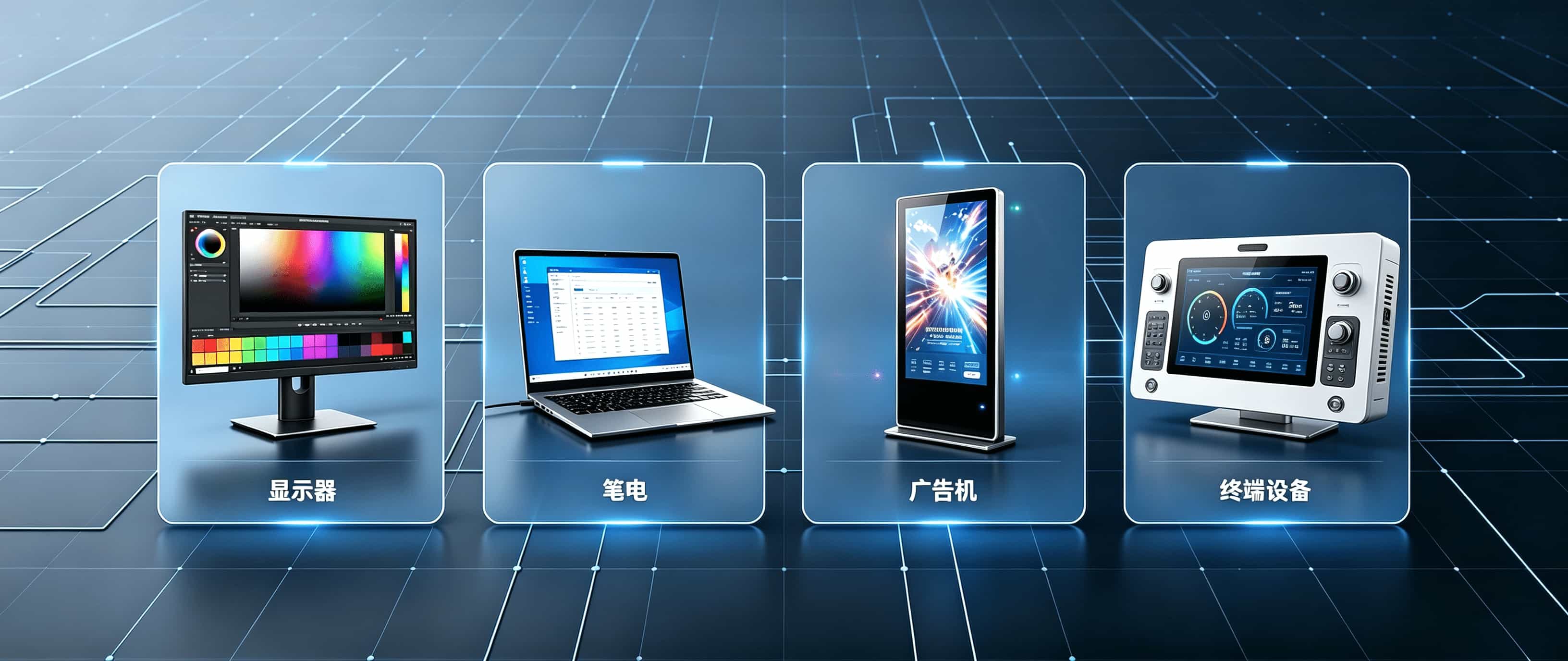
Scenario 1: Display screen manufacturers
What do monitor customers care about? Just two words:Color accuracy.
Users buy monitors for either office work, photo editing, or gaming. Regardless of the type, inaccurate colors and uneven brightness can be easily detected by users at a glance.
When repairing the image, the left side of the screen tends to be red and the right side tends to be green, and the repaired image is directly rejected by the customer.
So when choosing a monitor, focus on these indicators.
Color gamut coverage, SRGB should be at least 99% or higher. For professional designers, it also depends on the coverage of DCI-P3 and Adobe RGB.
Color accuracy Δ E,Less than 2 is the basic threshold. Professional models should be less than 1.5 or even lower.
Brightness uniformity,The brightness difference between the center and the four corners shall not exceed 15%. Beyond this number, even when editing or watching videos, one can feel one side bright and the other dark.
Response time,Regular office response is sufficient. Esports screens need to pursue 1ms level.
Grade recommendation:
It is recommended to choose A size or above for the monitor. The central area must have zero bad pixels. Mura and leakage standards must be strict.
The B-sized screen is not unusable, but it can only be used on low-end office models. And it must be clearly explained to the customer in advance.
Scenario 2: Laptop screen manufacturers
The requirements of laptop customers are different from those of monitors. Pen users are particularly sensitive to graininess and bad pixels when they are close to the screen and staring at it.
Screen selection for laptops, focus on these indicators.
PPI, It's pixel density.10.1-inch with 1080P, PPI approximately 218, no problem. 21.5-inch with 1080P, PPI is only 102, and the graininess is very obvious when viewed up close. The PPI of a laptop screen should be at least 200 or above for users to not have a noticeable graininess.
Power consumption, laptops rely on batteries to survive.Screen power consumption directly affects battery life. A low-power panel solution can significantly increase battery life. This is an important selling point for laptop manufacturers.
Narrow borders, the narrower the borders of current laptop products, the more attractive they are.The module frame can be made to be below 2mm, with a lower frame of about 5.5mm. It depends on the size and interface scheme. The overall appearance of the machine is completely different.
Grade recommendation:
It is recommended to choose A standard for laptops.Zero bad points in the central area, this is the bottom line.
The B-standard screen is used on a laptop, and when the user turns it on, they see dark spots. There is no negotiation for returning the product.
But if you are making low-end educational laptops or entry-level models, the B-sized screen may not be completely unusable even if there are a few bad pixels at the edges. The premise is to communicate clearly with the customer in advance.
Scenario 3: Advertising machine screen manufacturer
Advertising machines, laptops, and monitors are completely different logics. What are the characteristics of a large advertising machine? Open 24 hours a day, exposed to wind and sun, with no one caring.
So when choosing a screen for an advertising machine, focus on these indicators.
Brightness, indoor advertising machines generally require 500 to 700 nits.Outdoor advertising machines should have at least 1500 nits or more. Scenes with direct sunlight require 2500 nits or even higher. The brightness is not enough, and it's just a gray screen outdoors during the day.
Wide temperature range, outdoor equipment is exposed to direct sunlight in summer and extremely cold in winter.The working temperature range should be at least -20 ℃ to 60 ℃. Some scenarios require a temperature range of -30 ℃ to 80 ℃. If the temperature does not meet the standard, the screen will turn black when exposed to sunlight in summer and not light up when frozen in winter.
The lifespan of advertising machines cannot be replaced in just one or two years.The backlight lifespan starts at 50000 hours, and good ones can reach 80000 hours.
scatterHeat, the higher the brightness, the greater the heat generation.The greater the heat, the shorter the lifespan. When selecting a screen, it is necessary to consider whether the heat dissipation scheme can keep up.
Grade recommendation:
Advertising machines have a higher tolerance for bad pixels than laptops and monitors. Due to the long viewing distance, one or two bad pixels may not be noticed by users.
Both A and B specifications can be used, depending on the usage scenario.
The indoor advertising machine has no problem with the B-sized screen. Outdoor high brightness advertising machine, it is recommended to use A specification. Due to the harsh outdoor environment, the poor quality of the screen itself can easily lead to problems.
But no matter which level is chosen, Mura and leakage standards cannot be relaxed. Because these two items will be magnified by sunlight outdoors.
Scenario 4: Terminal device screen manufacturers
The range of terminal devices is very wide. The requirements for each scenario are different, including industrial control terminals, vehicle mounted terminals, medical terminals, and self-service terminals.
Industrial control terminals have large temperature fluctuations and strong electromagnetic interference in the workshop. The key to screen selection lies in the wide temperature range and anti-interference ability. The high-speed transmission and anti-interference capability of LVDS interface are more suitable for this scenario.
Car terminals should be able to withstand vibrations and bumps. The vibration test needs to pass. The temperature range should be wide. In summer, the temperature inside the car can reach over 70 degrees Celsius, and in winter, it can drop to minus 30 degrees Celsius in the north.
Medical terminals require extremely high color accuracy. The Δ E value must strictly meet the standard. At the same time, it is necessary to ensure long-term stable operation, without screen flickering or color cast.
Self service terminal, running 24 hours a day, with frequent touch controls. The durability and lifespan of the screen are key.
Grade recommendation:
The selection of screens for terminal devices cannot be generalized.
Medical terminals are recommended to use A or A. Industrial terminals are recommended to use A specifications. It is recommended to use A standard for car terminals. Both A and B specifications of self-service terminals are acceptable.
The key depends on the environment in which your device is used, how high the customer's requirements are for display effects, and whether the after-sales cost can be borne.
A table to help you select the right screen
Having said so much, I have summarized it into a table. Just save it directly.
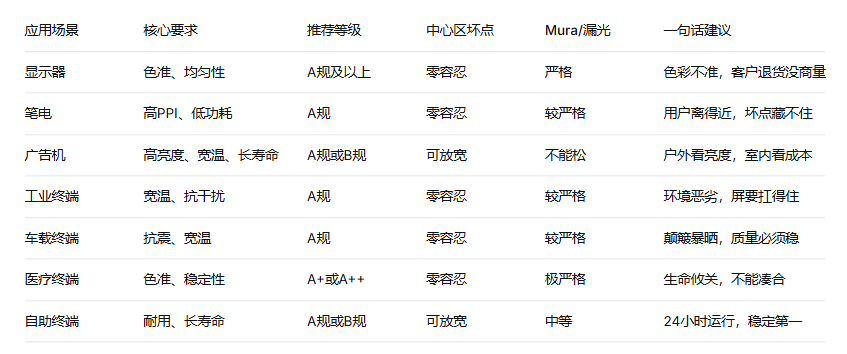
The matter of screen selection can be described as both complex and simple. Ultimately, there are no good levels, only matching solutions.
You are a laptop, and the zero defect point in the central area is the bottom line. You work as an advertising machine, brightness and aspect ratio are more important than the number of bad pixels. You work as a medical terminal, although the A-screen is expensive, it is worth it.
What are you afraid of?I'm afraid you'll use the budget for your advertising machine to buy a laptop screen. Or use the requirements of medical terminals to measure the screen of advertising machines. The money has been spent, the problem has not been solved, and the customer is still not satisfied.
We have been in the LCD display module industry for so many years and have seen too many customers take detours in their selection.
So I want to say something honest to you,First, clarify where your product is used, what customers care about, and whether the after-sales cost can be borne, and then choose the level.Once these things are understood, buying a screen will prevent you from falling into pitfalls.
If you are currently selecting or unsure about the existing solutions, please feel free to leave a comment or contact us directly. We can recommend suitable grades and specifications based on your specific application scenario.
Screen selection is not about choosing expensive, it's about choosing the right one. Choosing the right one saves money and worries. Wrong choice, cheap becomes expensive.
So, have you selected the right screen for the product in your hands now?
#A standard screen # LCD module # Selection guide # Display screen # B-end procurement # Display screen # Pen screen # Advertising machine screen # LCD display screen # LCD screen